A small plugin for a more familiar Moodle

Japanese names.
A Japanese index.

Find the person you’re looking for, by the way their name is read. Gojūon brings familiar kana navigation to your course participants page.

Moodle 4.5+ · Free & open source · No core changes

Gojūon: an あ index card with a participant tab

あ か さ た な は ま や ら わThe right starting point.

Moodle’s usual A–Z participant index looks at the written name. For a class full of names like 佐藤, 鈴木, and 高橋, Latin initials aren’t much help.

The readings are already there in Moodle’s phonetic name fields. Gojūon puts them to work: choose to find 佐藤(さとう), or to find 高橋(たかはし).

A familiar index. The participant list you already use.
02 / TRY IT YOURSELF

Start with . Find Katō.

Choose a surname row, then narrow it down by given name.

Interactive illustration
SAMPLE COURSE

Participants / 参加者

Surname
Latin initials A–Z
Given name
Latin initials A–Z

Fictional course roster
Fictional participants matching the selected kana rows
ParticipantSurname readingGiven-name readingRole
Sample data only. This illustration runs entirely in your browser.

Try for Katō and Gotō, for hiragana and half-width katakana, or for a missing reading. This is a simplified demonstration, not a live Moodle instance.

03 / A SMALL, CONSIDERED ADDITION

Fits the way your course works.

あ / ア

Readings, not guesswork

Hiragana, katakana, half-width kana, and voiced variants belong to their familiar gojūon rows. Latin initials are available for romaji readings too.

姓 + 名

Two ways to narrow it down

Filter surname and given name independently. Both work alongside Moodle’s existing participant filters, sorting, and pagination.

Everyone has a place

Missing or unclassified readings stay accessible under Other. Reading-based filters appear only when the viewer is permitted to see those fields.

04 / INSIDE MOODLE

The real thing.

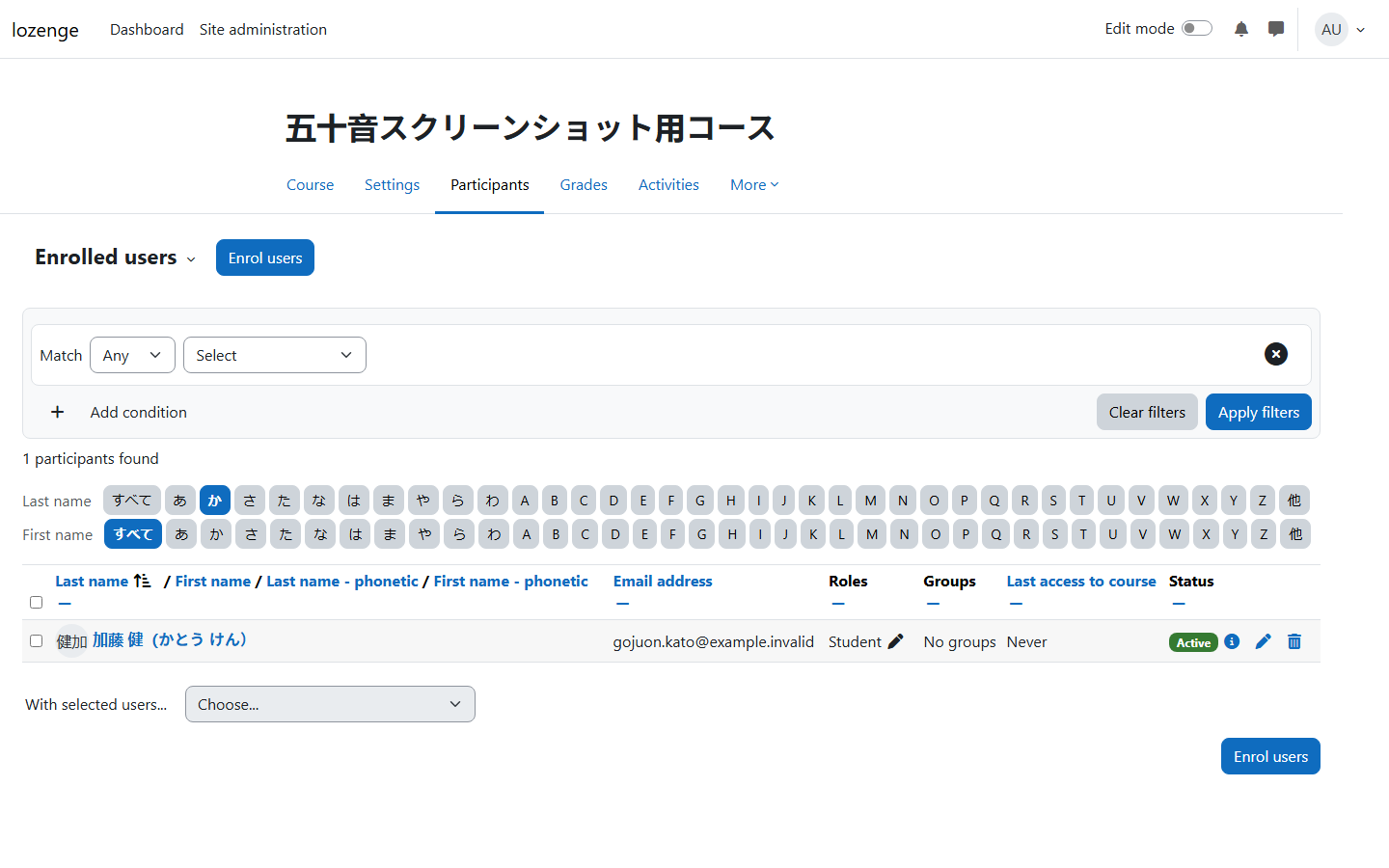
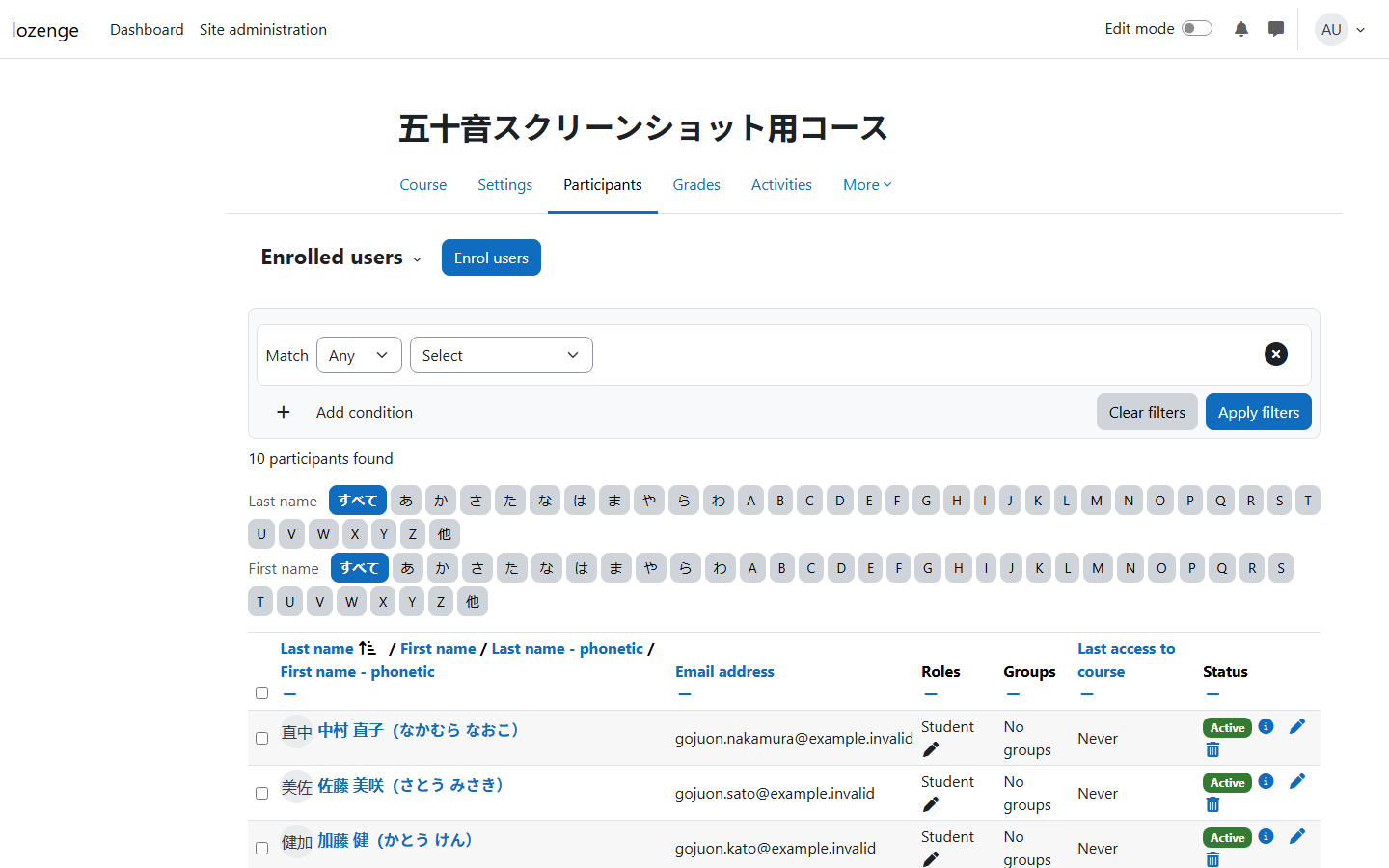
Actual plugin screenshots. Select an image to view it full size.

Moodle participants page with separate surname and given-name kana filter bars
Familiar navigationBoth kana index bars, right above the participant list.
Moodle participant list filtered using the か surname row
One row, the right peopleThe surname list narrowed down to the か row.

05 / MAKE YOURSELF AT HOME

A better index.
A simple install.

A local plugin for Moodle 4.5 and later.
No changes to Moodle core.

Get the latest release

GNU GPL v3 or later · PHP 8.3+

  1. Download the release ZIP

    Choose the packaged plugin ZIP attached to the GitHub release.

  2. Install in Moodle

    Go to Site administration → Plugins → Install plugins, upload the ZIP, and complete the upgrade.

  3. Set up your name readings

    Populate participants’ phonetic name fields and include them in the applicable Moodle name display format. Gojūon respects their visibility.

    You can hide the original A–Z bars in the plugin settings. Read the documentation ↗

名前の読み方から、見つけよう。

Find them by the way their name is read.